
Ideas & brainstorming
Promote an idea to an OKR
Updated May 20262 min read
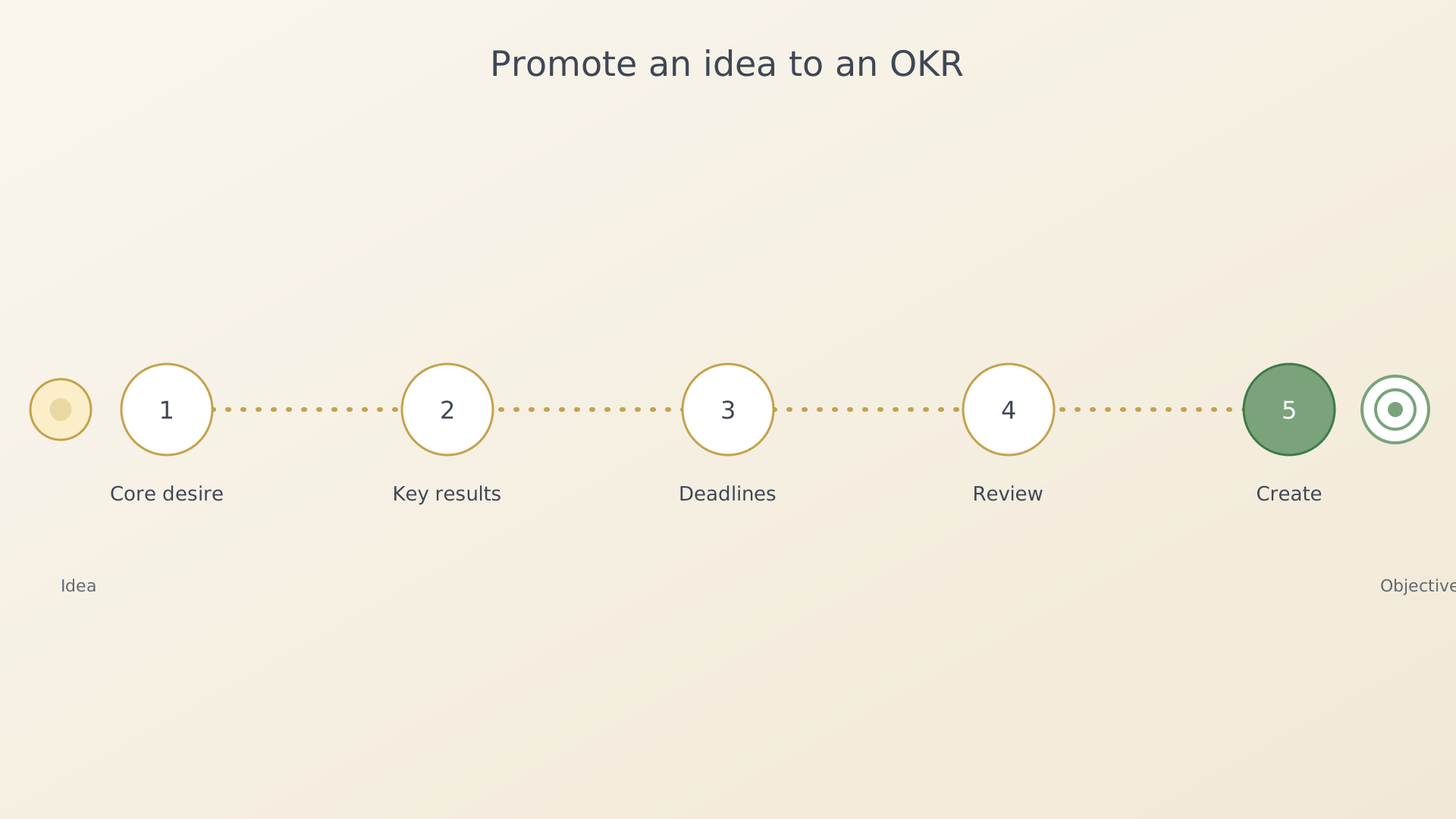
When an idea is mature enough to act on, IdealWeek can promote it into a fully-formed objective. The five-step wizard preserves what you've already written in the brainstorm and adds AI assistance at each step.
From the idea card
- Open the Ideas screen (sidebar → Ideas).
- Tap an idea card and choose Promote to OKR from the context
menu.
Idea context menu with Promote to OKR - The wizard opens at Step 1 — Core desire. Refine or accept the
suggested wording and continue.
Wizard step 1 — core desire - Step 2 — Key results. The AI Assist button populates initial key results from your brainstorm. Edit the count and titles to fit.
- Step 3 — Deadlines. Pick a target deadline. AI Assist offers a reasonable spread based on the key results.
- Step 4 — Review. A summary screen shows the entire objective. Use Back to revise any step.
- Step 5 — Create. Confirm to save. The new objective lands at the
bottom of the home list.
Wizard step 5 — confirm
From the Brainstorm screen
Inside the Brainstorm screen, every expansion card has a small Promote action that jumps straight into the same wizard, with the selected expansion seeded into Step 1.
Tips
- The original idea remains in the Ideas list — promoting copies, it doesn't delete.
- AI Assist is rate-limited per day. If the AI Assist button is greyed out, you can still continue manually.
See also
Was this article helpful?
Related articles
Capture an ideaQuickly capture a rough idea in IdealWeek before it slips. Use the QuickPlus dial from any screen, the + button on the Ideas screen, or speak it with voice input for AI-assisted structuring.Dictate an idea with voiceSpeak an idea into IdealWeek and let the AI structure it. The microphone in the idea editor turns voice input into a title, description, and starting expansion items.Brainstorm and expand an ideaOpen the Brainstorm screen for any captured idea in IdealWeek and add detail to its expansion sections — outcomes, challenges, questions, and related notes — with drag-to-reorder.

